.webp&w=3840&q=75)
“Want to create your first 2D animation? Discover animation tips for beginners inspired by Ito Yokocho, from choosing beginner-friendly software like Clip Studio Paint and Krita to mastering timing, spacing, storyboarding, key poses, in-between frames, and completing your first animated project.”
Have you ever watched an anime, animated film, or short animation online and thought, “I really want to learn how to do that”?
The excitement usually lasts until you imagine drawing hundreds of frames by hand. Then you discover terms like onion skin, key pose, in-between, timing, spacing, and FPS, and suddenly animation sounds less like art and more like a technical exam.
Fortunately, the best animation tips for beginners do not start with a five-minute short film. A bouncing ball that lasts a few seconds can already teach you an incredible amount about weight, timing, speed, and shape.
In FUOMO's original guide, 2D animator Ito Yokocho (@itoyokocho) focuses on three useful foundations for beginners: choose software you are comfortable with, study movement through real visual references, and plan the movement before polishing the drawings.
1. Choose Animation Software You Actually Enjoy Using
The best beginner animation software is not automatically the application with the longest feature list.
It is the one you are willing to open again tomorrow.
Ito Yokocho recommends Clip Studio Paint as a starting point for 2D animation. Alongside its illustration tools, Clip Studio Paint includes an animation timeline, onion-skin features, light-table tools, and workflows that can take an artist from drawing to animation. Its official site specifically highlights onion skin and light table features for viewing neighboring frames while animating.
If paying for software is not part of the plan yet, Krita is a strong alternative. It is free and open-source, and its animation workflow is built around frame-by-frame raster animation. Krita's documentation includes an animation timeline and onion-skin tools for working with neighboring frames.
One detail is worth checking before choosing Clip Studio Paint specifically for animation: PRO supports simple animations of up to 24 frames, while EX includes the full-length animation tools.
Clip Studio Paint vs Krita
Feature | Clip Studio Paint | Krita |
Frame-by-frame animation | Yes | Yes |
Onion skin | Yes | Yes |
Timeline | Yes | Yes |
Drawing tools | Strong | Strong |
Vector line workflow | Available | Animation is primarily raster |
Price | Paid plans | Free and open-source |
Good fit for | Illustrators moving into animation | Beginners learning without software cost |
Neither program makes you a better animator by itself. Pick the one that removes the most friction between you and practice.
2. Learn to Observe Movement Before Drawing More Frames
Animation has a funny way of exposing how little we consciously notice everyday movement.
You know what walking looks like. Then you try to animate a walk and realize you have never paid attention to exactly when the heel touches the ground, how the hips move, or why the arms swing in the opposite direction from the legs.
That is why Ito Yokocho recommends looking beyond anime and games for reference. Film can teach framing and cinematography. Photography can teach posing and composition. Real people, animals, sports, and ordinary objects teach you how weight and movement actually behave.
If you need to animate someone jumping, record yourself jumping on your phone. Slow it down. You will notice the body lowering before takeoff, the legs pushing against the ground, the body reaching its highest point, and the knees bending again on landing.
What looked like one movement is actually a chain of smaller decisions.
3. Understand Timing, Spacing, and FPS
These three ideas are often introduced together, which makes them sound more complicated than they really are.
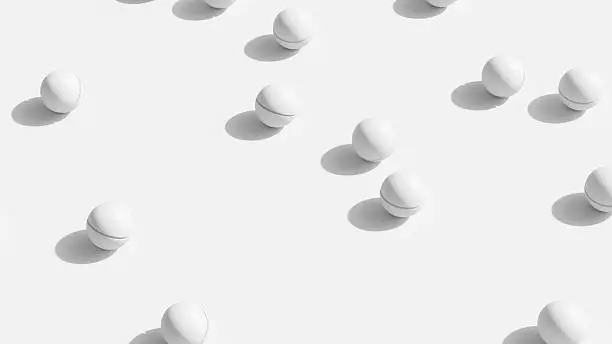
FPS, or frames per second, describes how many timeline frames are played during one second. It does not mean every frame requires a completely new drawing. A drawing can be held across multiple frames, which is why animators talk about working on ones, on twos, and so on.
Timing is about how long the action takes. Spacing is about how far the object moves from one drawing to another. Imagine a ball falling: the positions may begin close together, then spread farther apart as the ball accelerates toward the ground.
This is why more drawings do not automatically equal better animation. The important question is whether the timing and spacing communicate believable weight, speed, and energy.
4. Learn the 12 Principles One at a Time
Sooner or later, every animation beginner comes across the 12 Principles of Animation.
They were famously presented by Disney animators Ollie Johnston and Frank Thomas in their 1981 book The Illusion of Life: Disney Animation, and they remain a widely used framework for understanding believable animated movement.
You do not need to memorize all twelve before drawing your first frame. Start with squash and stretch, anticipation, and slow in and slow out. Those three alone can dramatically change how a simple bouncing ball or character action feels.
A ball may squash slightly when it hits the ground. A character crouches before jumping. An object usually accelerates away from a resting position and slows as it comes to a stop. Adobe describes slow in and slow out as using additional frames around the beginning and end of a movement to create more believable acceleration and deceleration.
Learn one idea, make a tiny exercise around it, and then move on. Applying three principles is much more useful than memorizing twelve definitions and never animating anything.
5. Build Storyboards and Key Poses Before Adding Detail
Illustrators have a particular temptation when they start animating: making the first frame beautiful.
The hair is perfect. The eyes are polished. The clothing has every fold. Then you realize the pose itself does not work.
Planning is much cheaper.
Start with a rough storyboard. It does not need to look good. Circles for heads and lines for bodies are completely fine as long as you can understand what happens, where the character is, and how the camera frames the action.
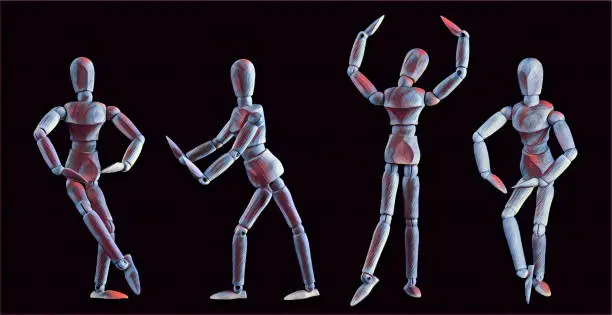
Then establish the key poses. In pose-to-pose animation, animators begin with important key frames and fill the intervals later.
If a character kicks a ball, you may only need a ready pose, a pulled-back leg, the contact pose, and the follow-through to understand the action. If the kick does not read with those four poses, twenty extra drawings probably will not fix the real problem.
6. Use Breakdowns and In-Betweens to Shape the Motion
Once the key poses work, you can decide how the character gets from one to the next.
An in-between is a frame that helps progress movement between key poses, but that does not mean every in-between is simply the mathematical midpoint.
A hand moving from left to right may travel in an arc. The head might lag slightly behind the torso. Hair may continue moving after the body has already stopped.
This is where breakdowns become important. They help define the character of the transition rather than merely filling empty frames.
Follow-through and overlapping action work on the same idea: different parts of a character do not start and stop at exactly the same time. Hair, clothing, tails, and accessories may continue carrying momentum after the main body stops.
7. Finish Small Exercises Before Attempting Your Dream Film
Your first project does not need dialogue.
It does not need a soundtrack.
It definitely does not need to be a 24-minute anime episode.
Start with something you can finish. A bouncing ball is a classic exercise because one simple object can teach timing, spacing, acceleration, squash and stretch, and weight.
After that, try a pendulum, blink, head turn, hand reaching for an object, hair movement, or a walk cycle. Two to five seconds is enough for one focused study.
You also do not need an expensive drawing tablet before starting. A stylus can make frame-by-frame work more comfortable, but observation, posing, and timing matter more than the price of your equipment. Krita's animation workflow is primarily raster-based, while Clip Studio Paint also supports vector line workflows that can be useful for clean line art.
When the exercise is finished, export it and watch the actual file. Clip Studio Paint supports movie, animated GIF, and image-sequence export, while Krita also supports image-sequence workflows for further processing.
A Simple First-Animation Workflow
If you are still unsure where to begin, keep the workflow simple:
Reference → Storyboard → Key Poses → Breakdown → In-Betweens → Preview → Clean-Up → Export
Choose one small action and find or record a reference if needed.
Build the rough motion first. Do not worry about beautiful line art while you are still fixing timing.
Preview constantly, finish the exercise, learn one thing from it, and move on to the next one.
FAQ Animation Tips for Beginners
Do I need to be good at drawing before learning animation?
No.
Drawing skills certainly help, but animation also depends on timing, spacing, posing, acting, observation, and movement. You can learn a surprising amount with simple shapes and stick figures.
Is Clip Studio Paint or Krita better for beginners?
Clip Studio Paint makes sense if you already enjoy its illustration tools and want drawing and animation inside the same workflow.
Krita is an excellent option if you want to practice frame-by-frame raster animation without paying for software.
What FPS should a beginner use?
There is no single required frame rate.
Pick something manageable for the exercise and focus on timing rather than chasing a specific number. Remember that playback FPS is not the same thing as the number of unique drawings per second.
What is the best first animation exercise?
A bouncing ball remains one of the most useful first exercises because it teaches timing, spacing, weight, acceleration, and squash and stretch without forcing you to solve complicated character anatomy at the same time.
Good Animation Starts With Understanding Movement
The best animation tips for beginners go beyond mastering software. Focus on observing movement, understanding timing, and creating natural-looking poses.
As Ito Yokocho suggests, everyday life, films, and photography can be great animation references. Start with a simple bouncing ball, study what looks off, and improve with each attempt. Your first animation doesn't have to be perfect. It just needs to give you something to learn from.
Turn Your Animation Into More
Finished your first animation? Don't let it sit in a folder. Share it on FUOMO, grow your audience, and turn your creativity into new opportunities.
Start Creating